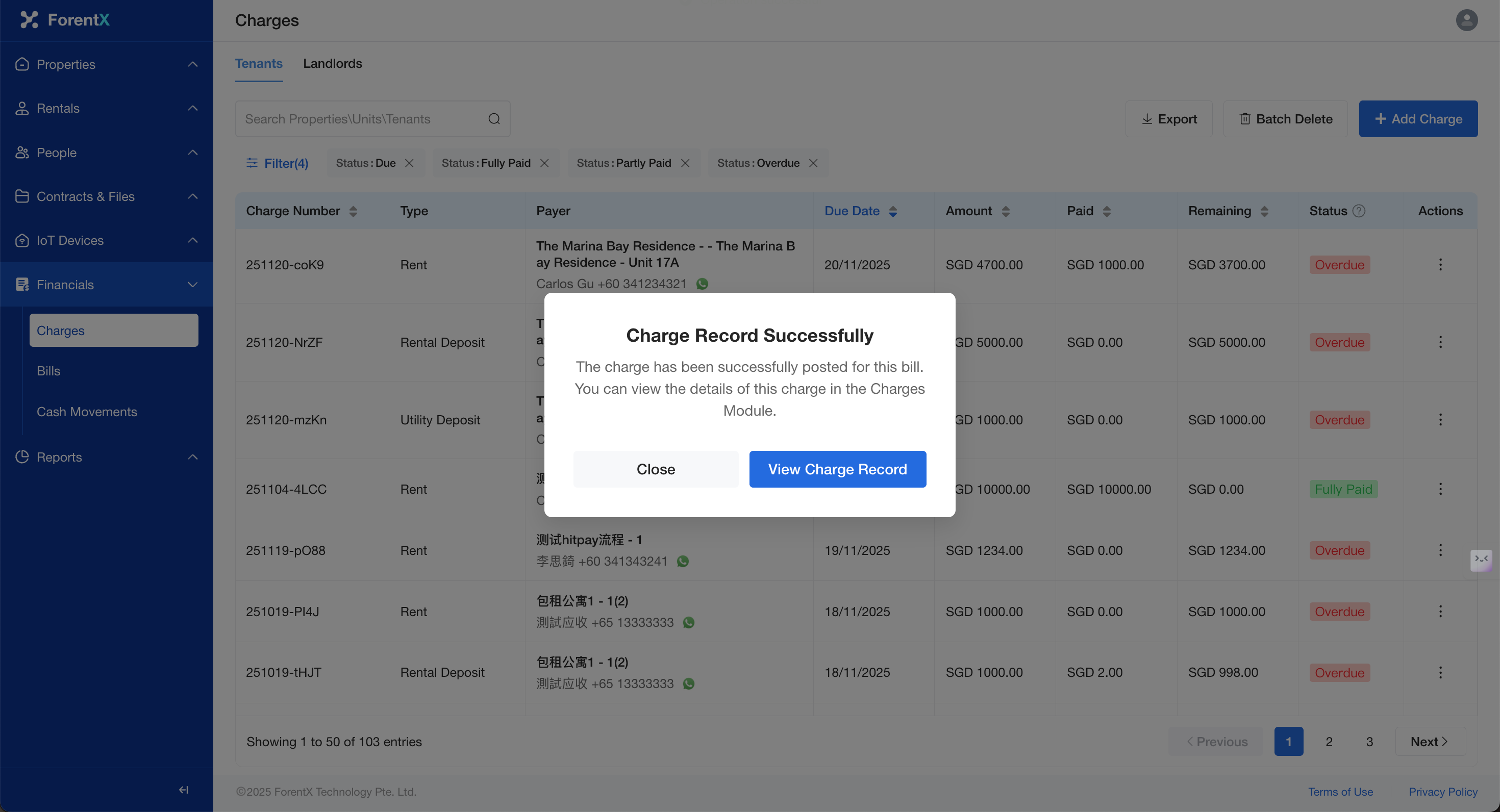
How do I update the payment status of a receivable charge?
When you receive an offline payment, you can record it manually in the system:
Step 2:
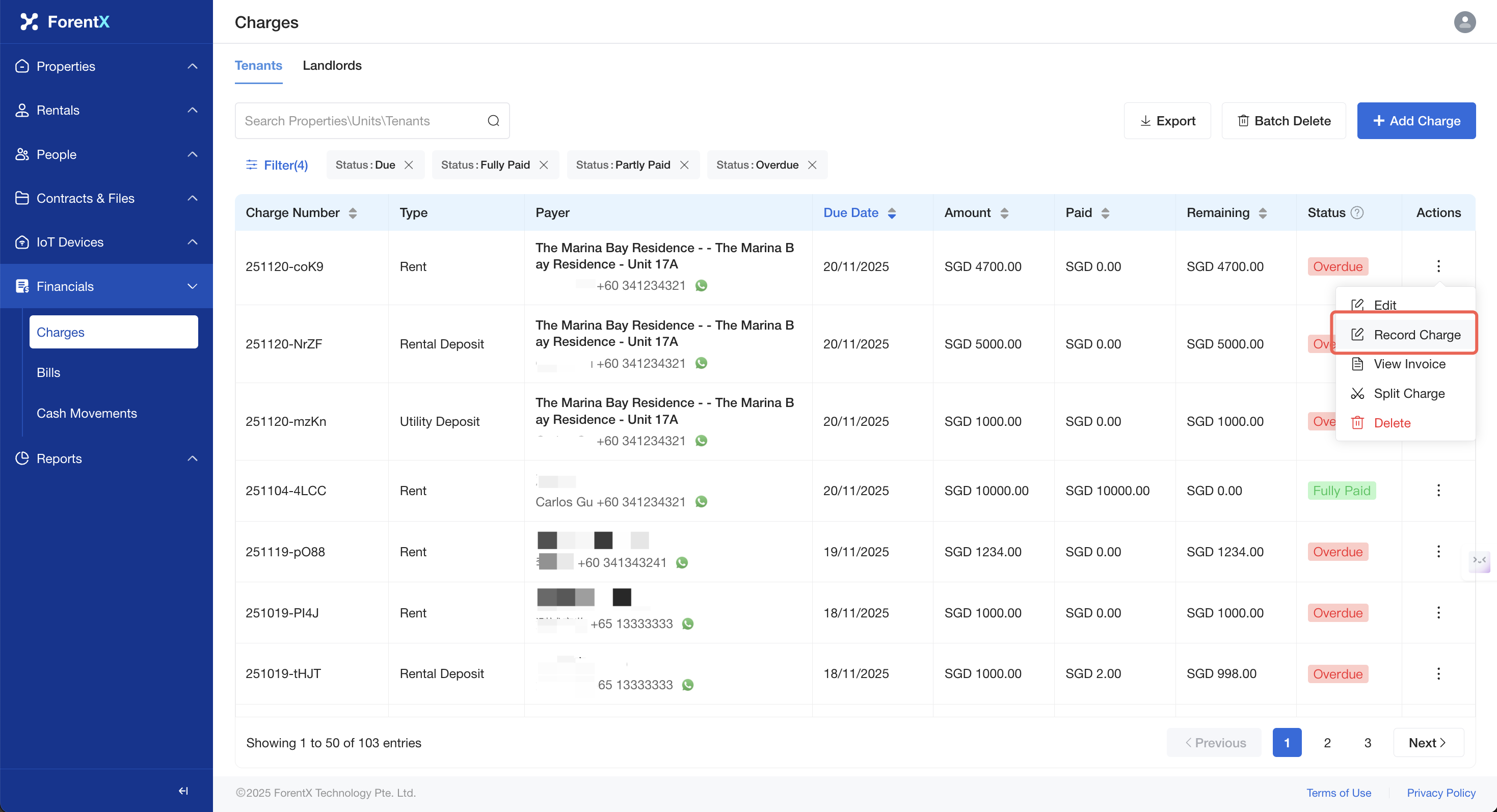
Locate the corresponding bill, click [Actions] — [Record Payment]Charge].
Step 2: Please fill in the [Paid Amount] and click [Save].
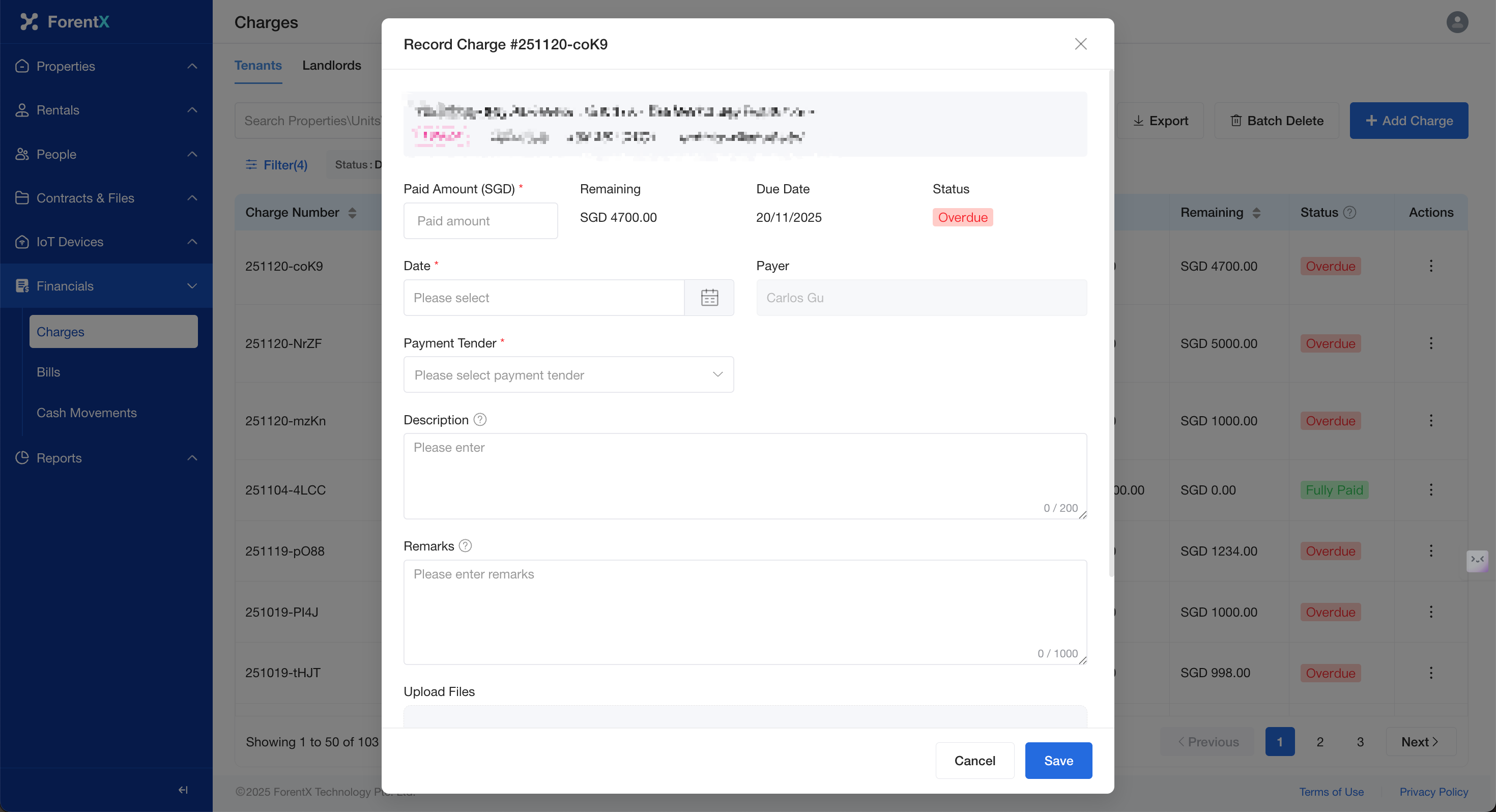
Step 3:
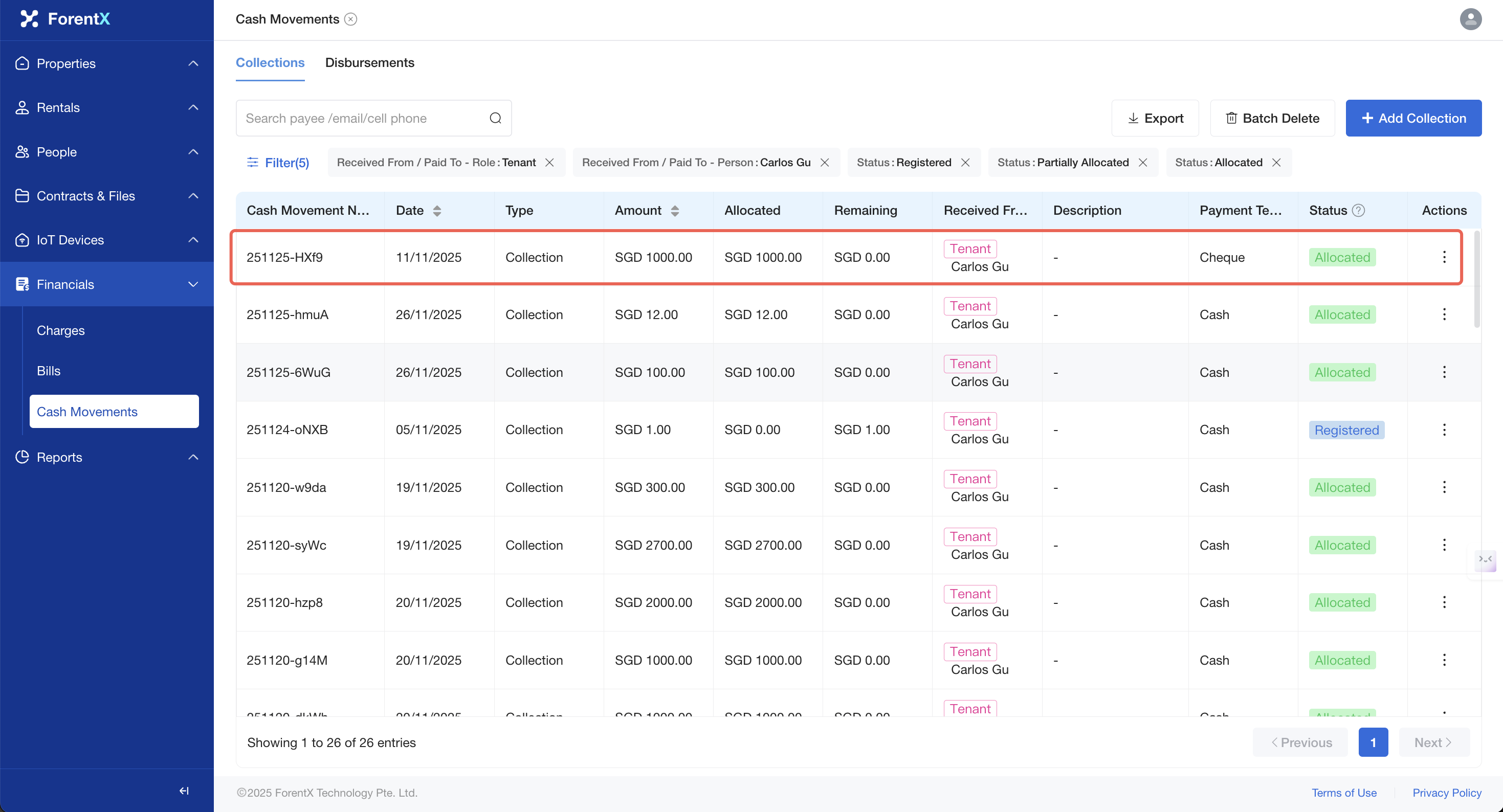
Fill in theThe [AmountCharges] Received], and click [Save]. The systemlist will update the amount and statusdata for thisyou. bill.You may also choose to navigate to the [Cash Movements] page to view the charge record you generated.