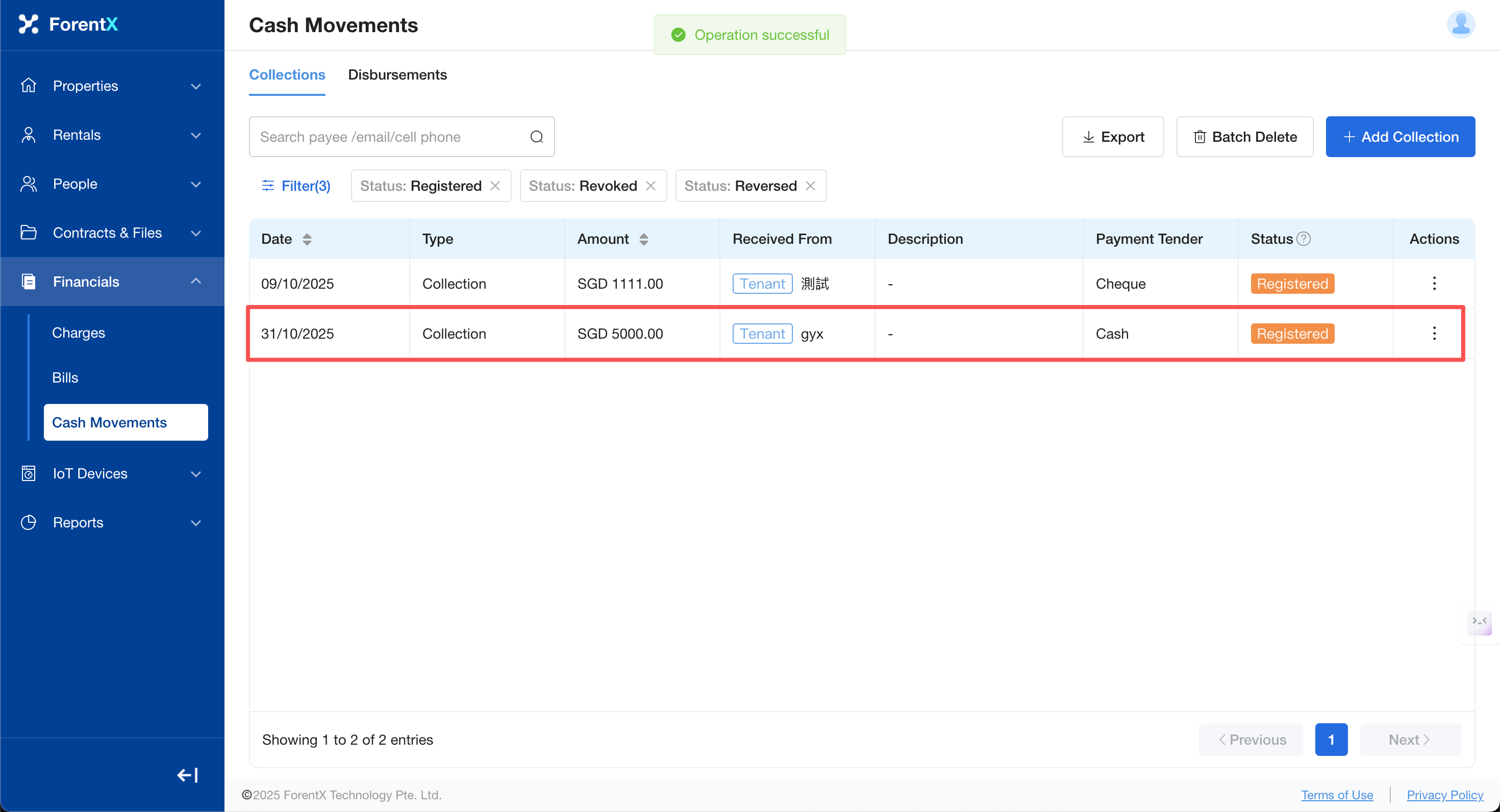
How do I reverse an incorrectly recorded incoming payment?
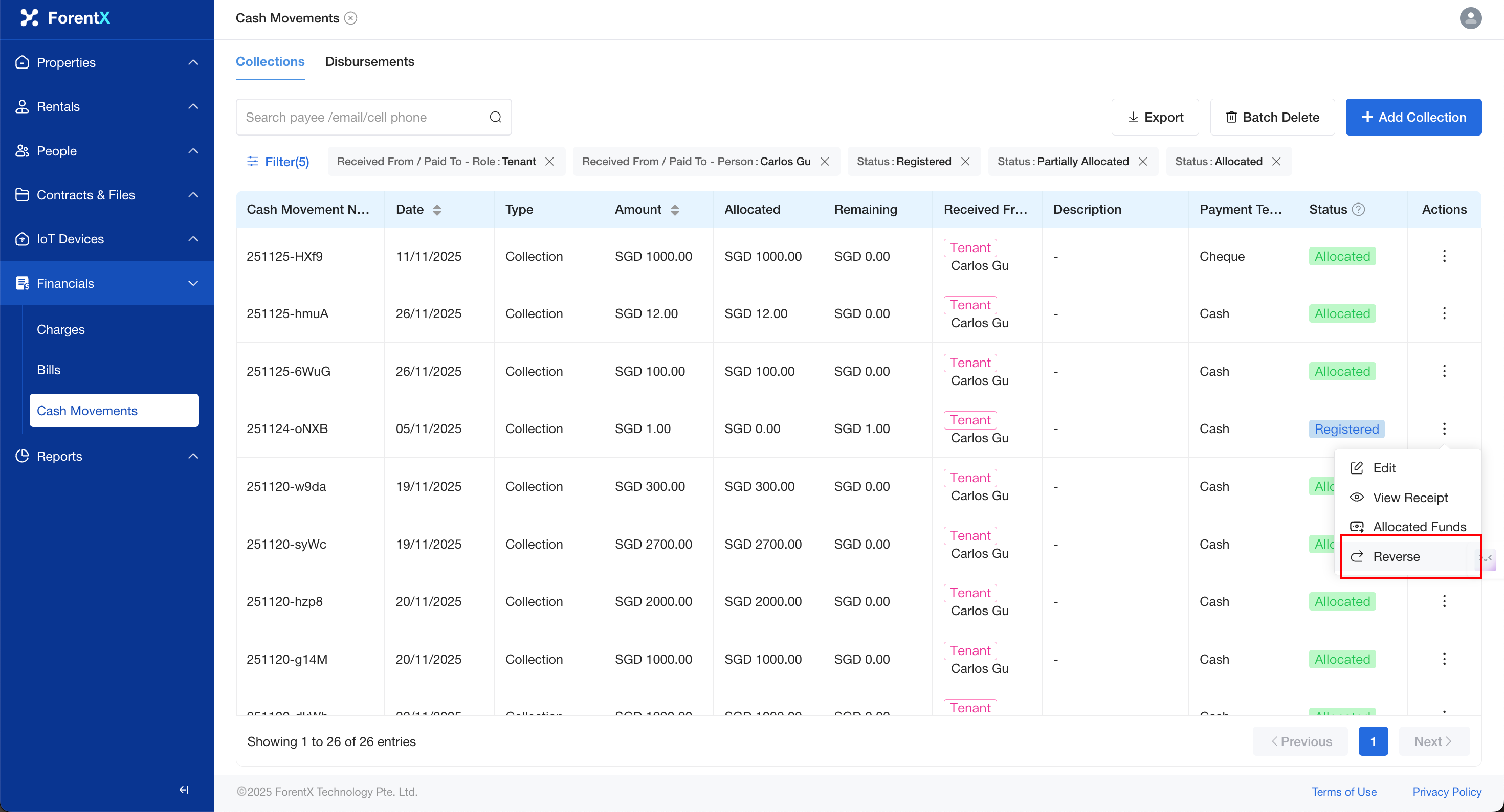
Step 2: Locate the corresponding bill,collection record, click [Actions] —> [Reverse].
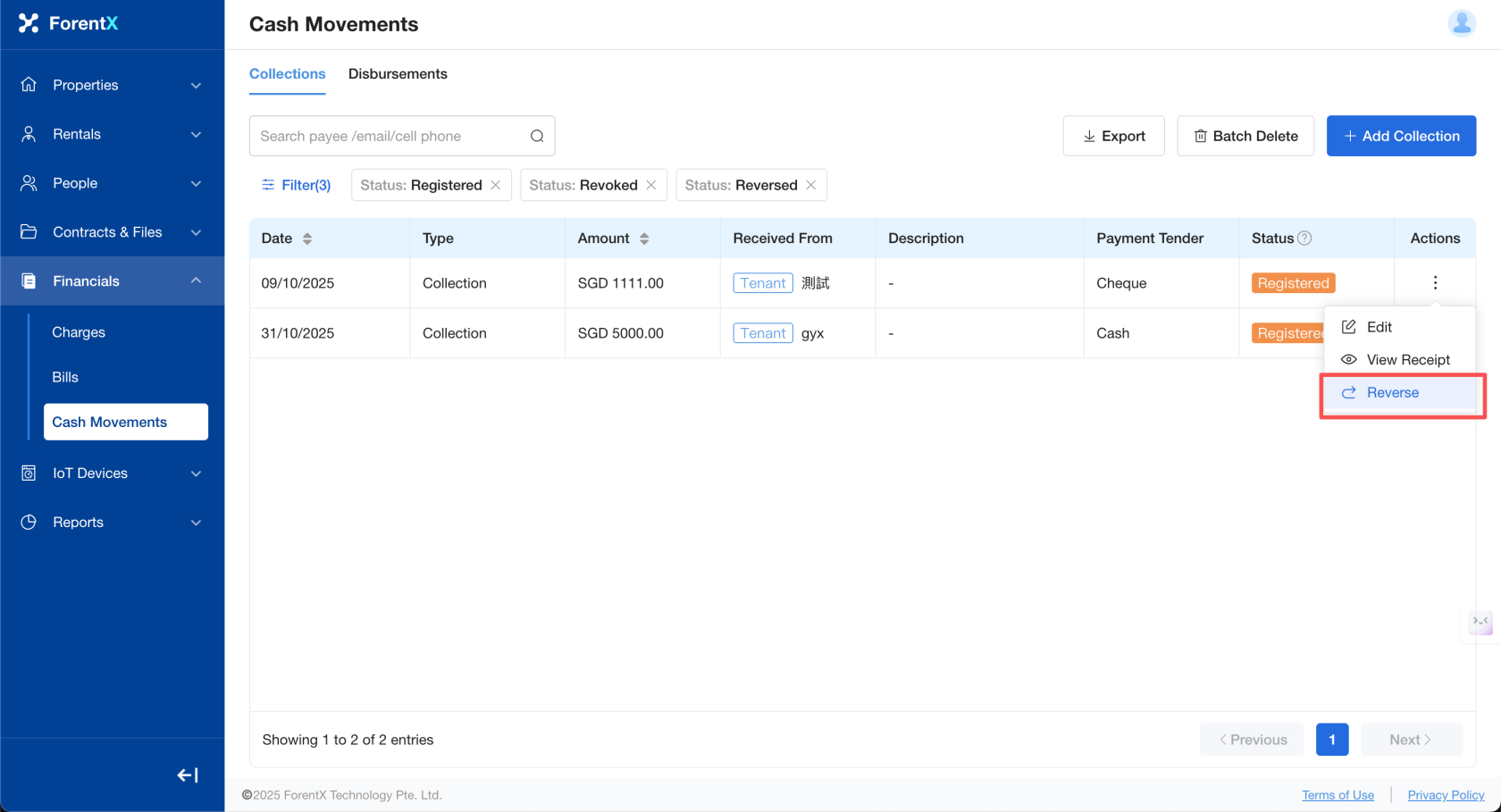
Note: If your record has been allocated (via Allocate Funds), please perform [Cancel Allocation Funds] first before proceeding with [Reverse].
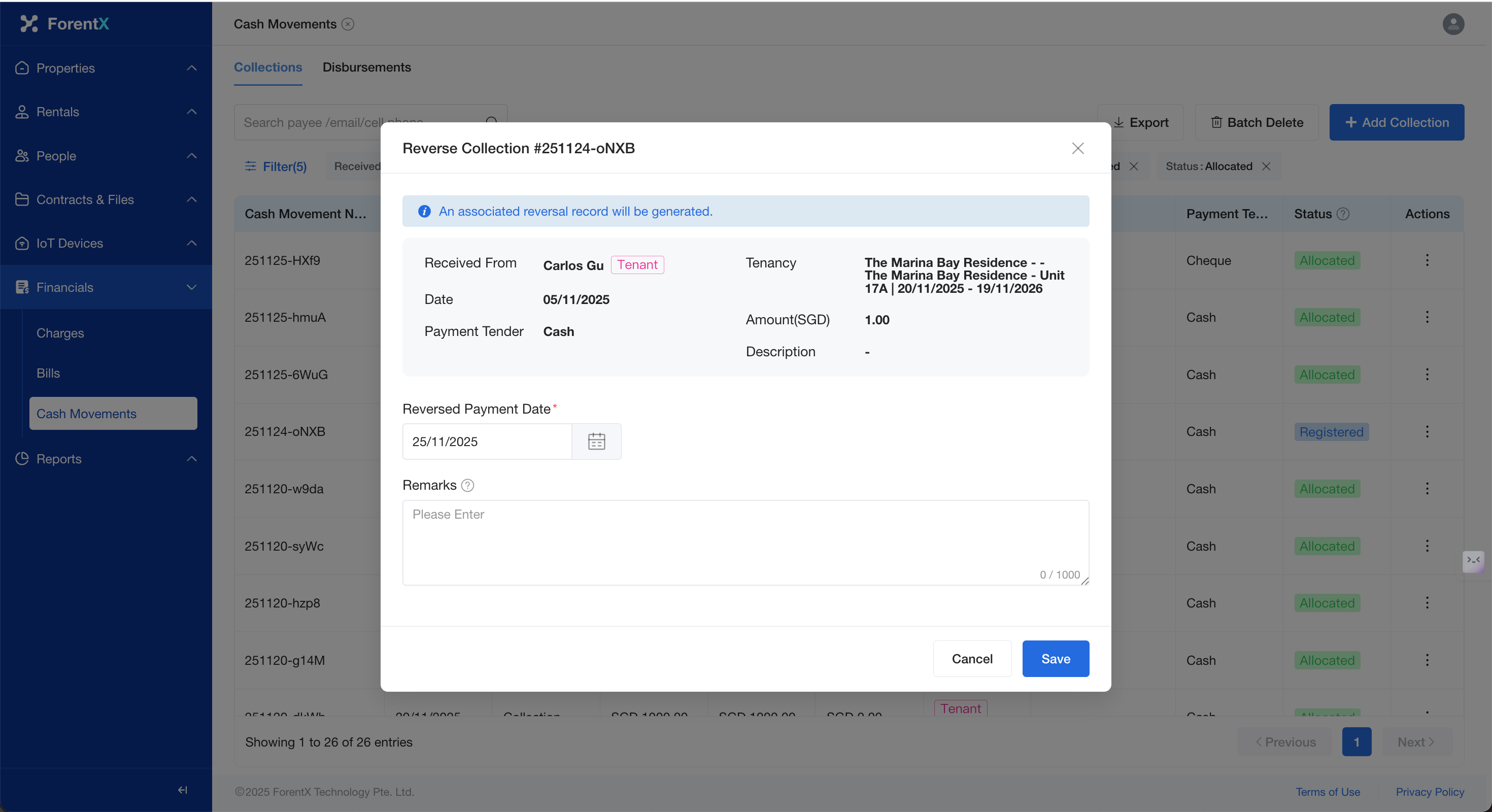
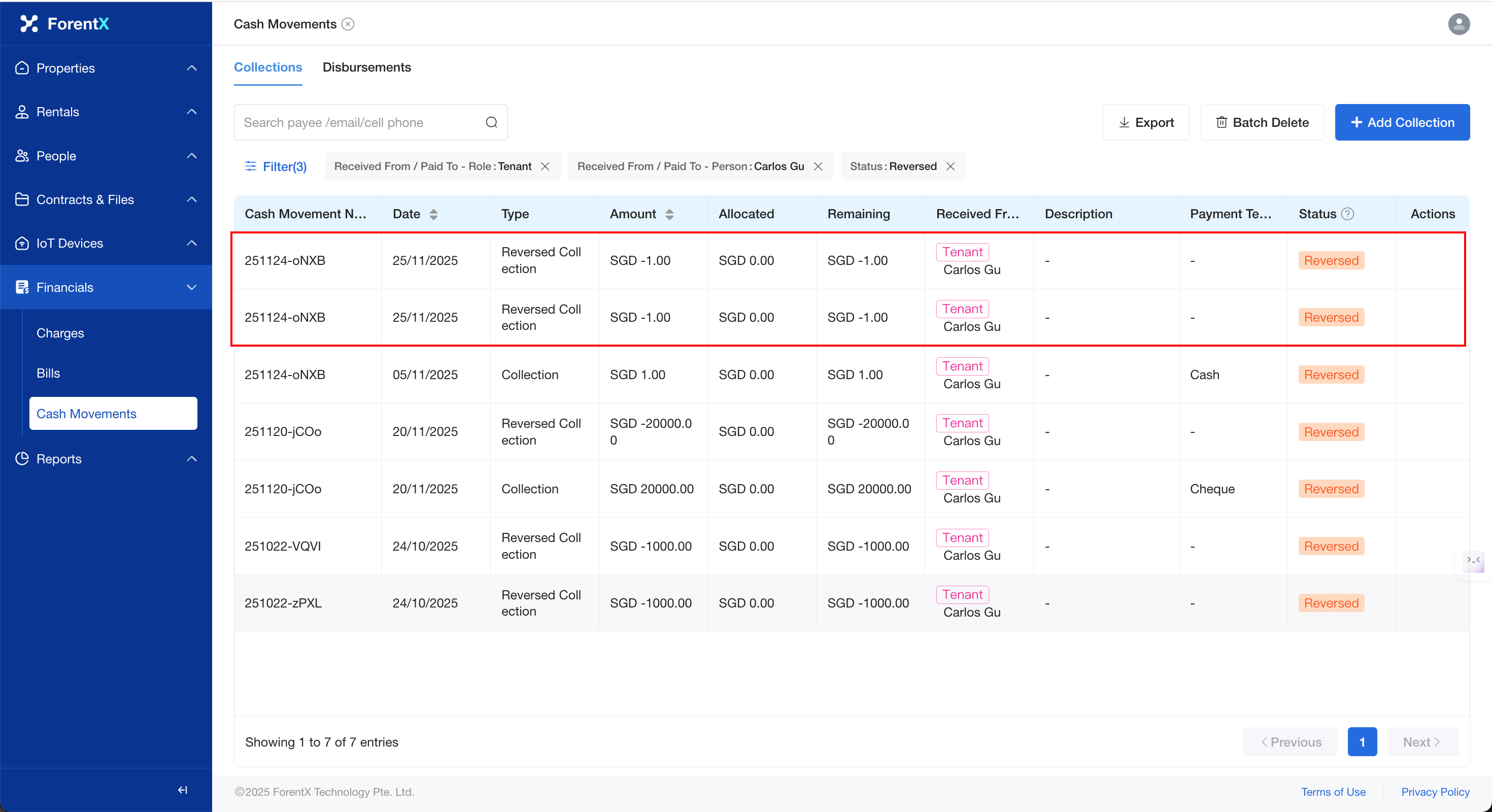
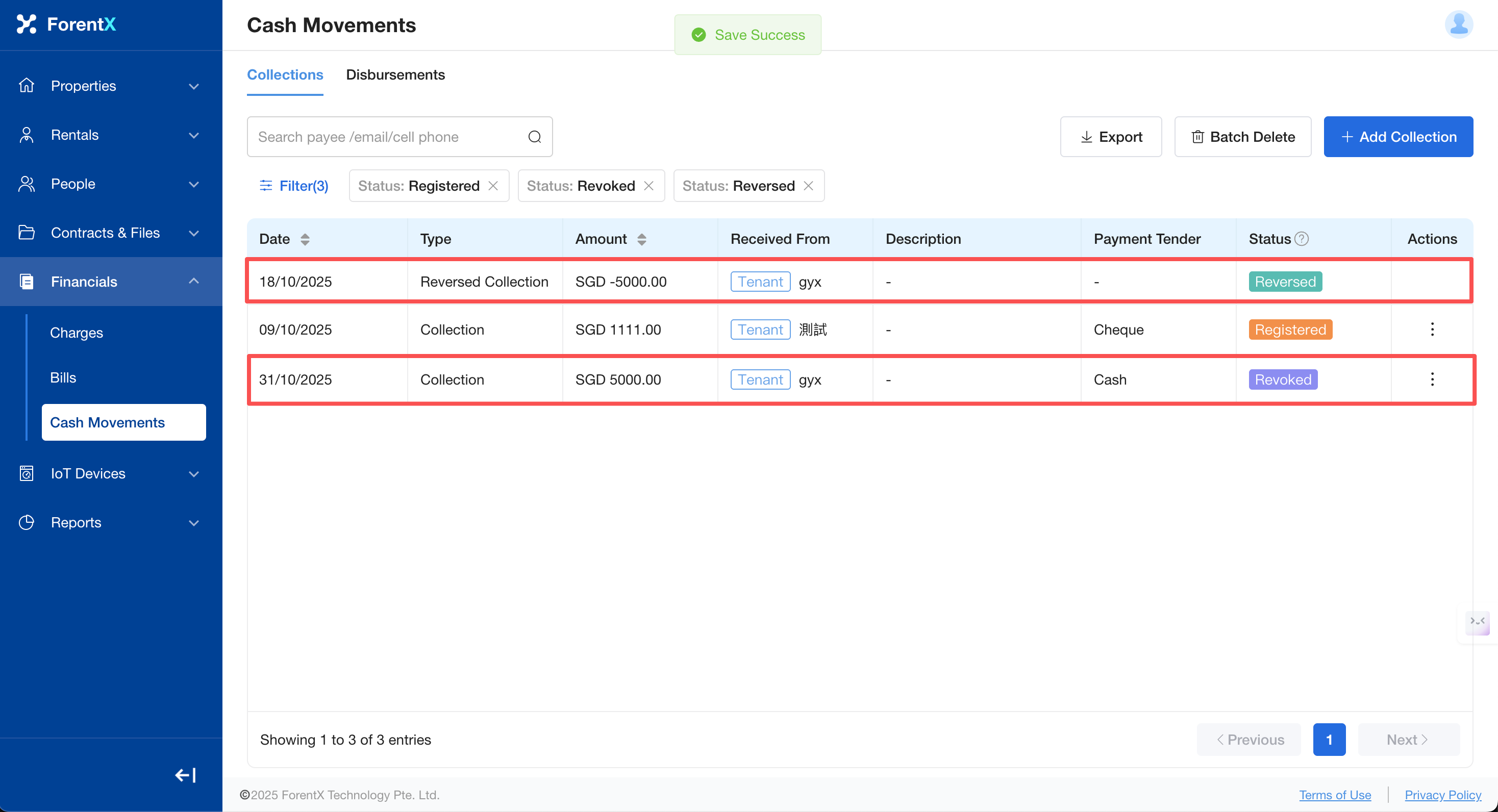
Step 3: Modify the [Reversedbill Payment Date]date and [Remark]remarks as required, andneeded, click [Save]. The system will generate a withdrawnreversed cash movement record for you with the status [Reversed]. The status of the original recordwithdrawn that was withdrawndata will also be changedupdated to [Revoked]Reversed].
How to Cancel Reverse a Record
If you have accidentally reversed a record, the system supports the Cancel Reverse function:
Step 1:Click the [Cancel Reverse] button and confirm with a secondary confirmation.
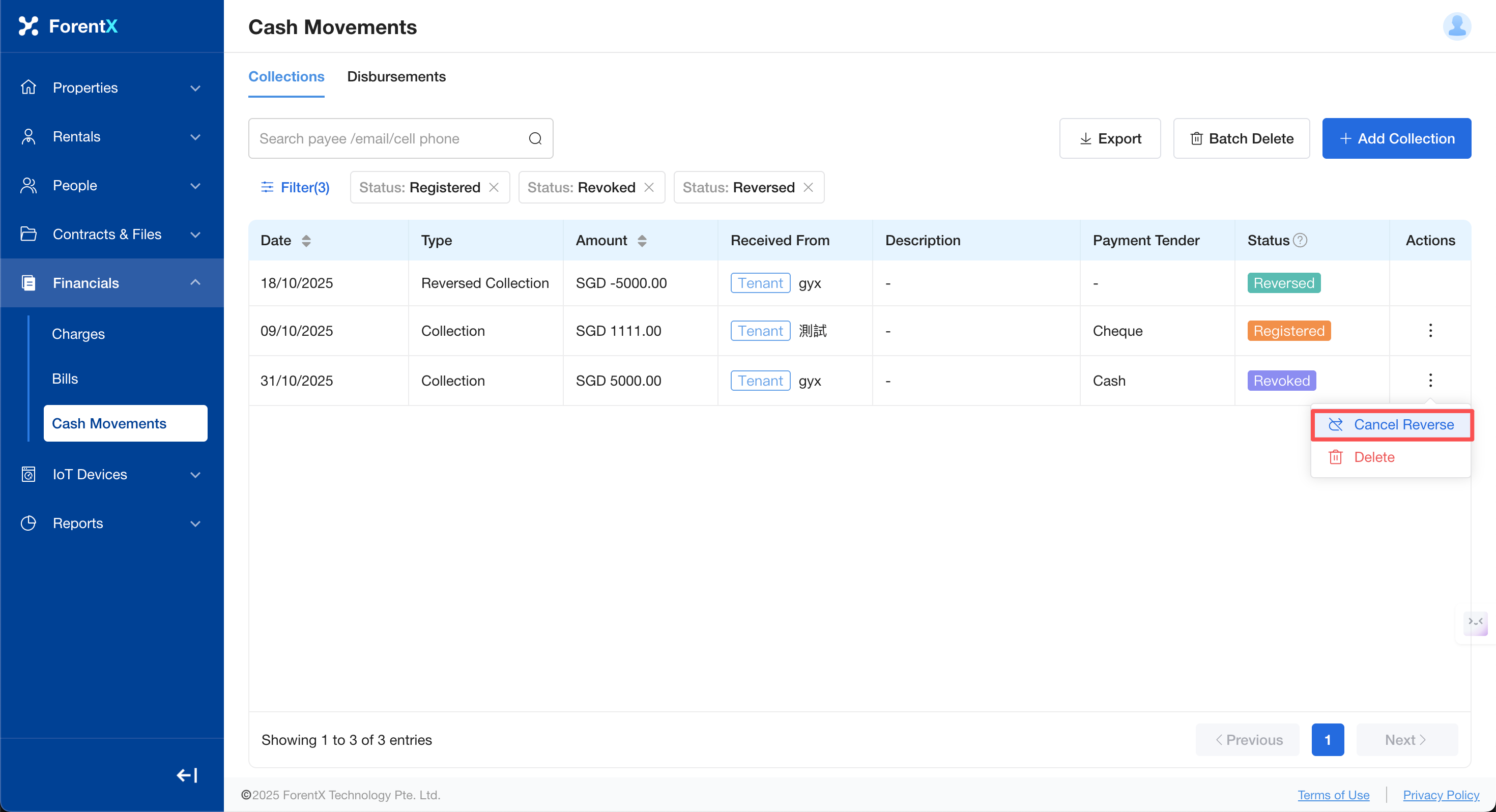
Step 2:The system will restore the original data, and its status will revert to [Registered].
Step 3:The reversed and revoked records previously generated will be automatically deleted by the system.