
How do I configure automatic charge generation rules?
Please follow these steps to configure your charge and bill generation rules:
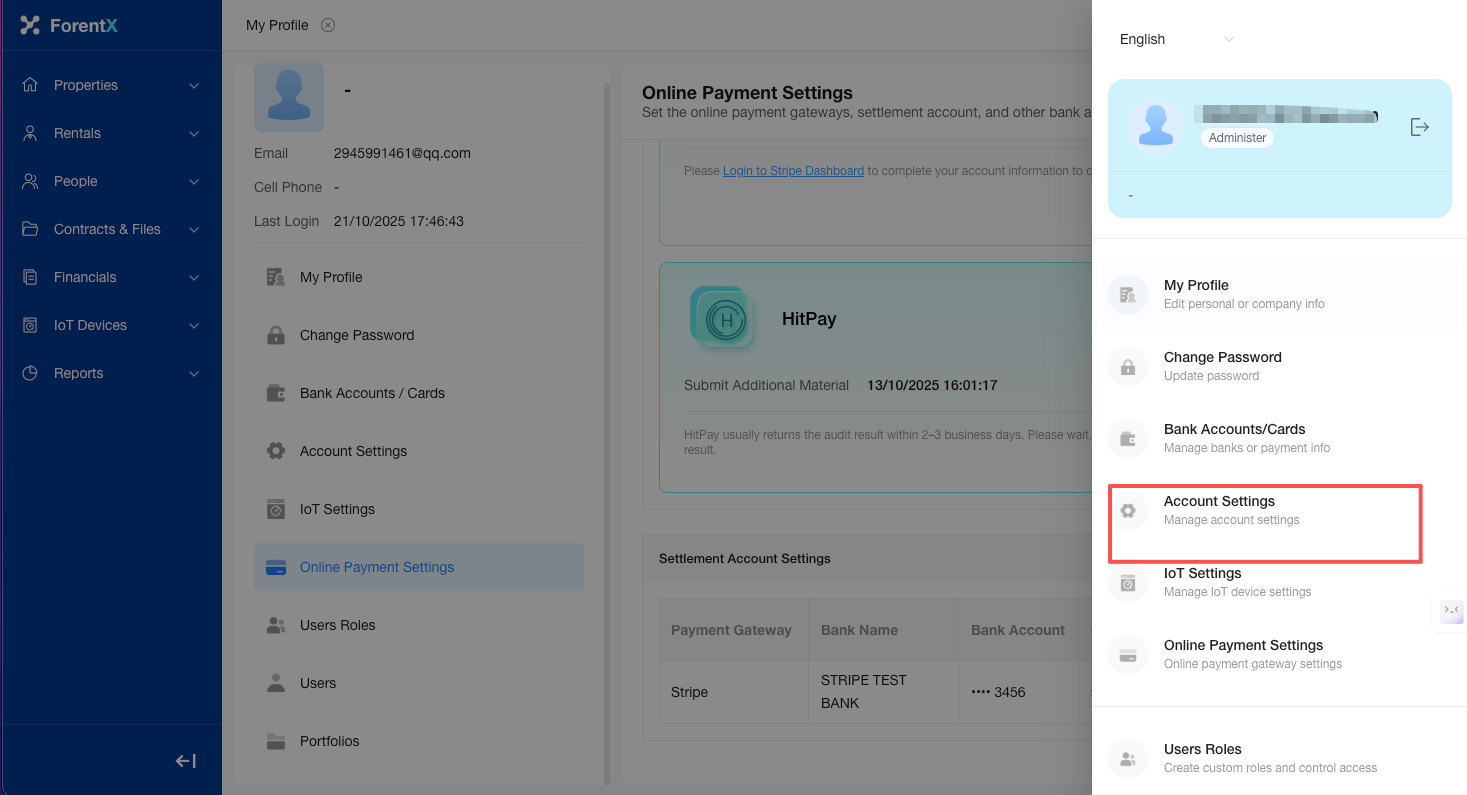
Step 1: Select [Profile Icon] at the top of the page — [Account Settings].
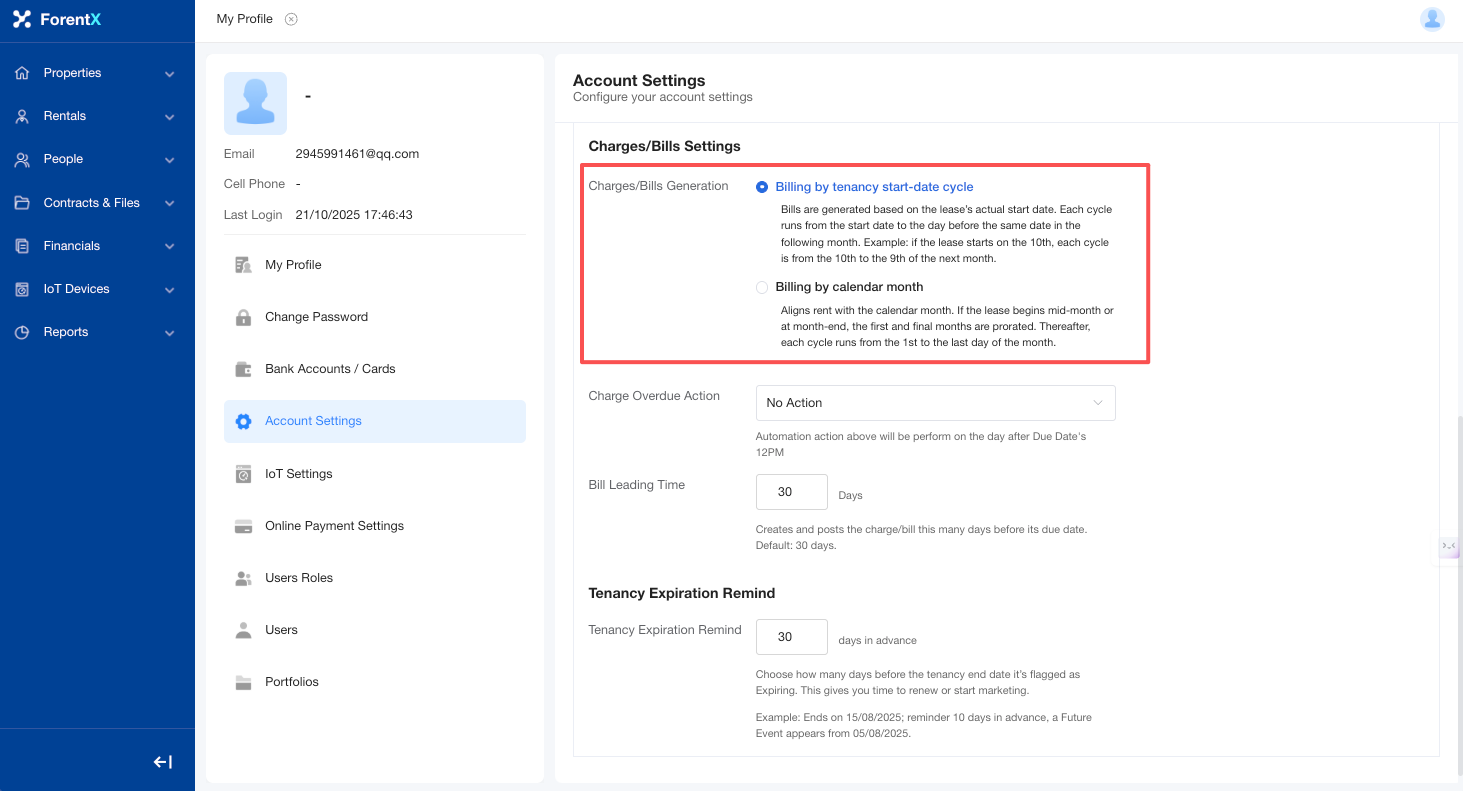
Step 2: Proceed to the Charges/Bills Settings. You may choose between [Billing by tenancy start-date cycle] or [Billing by calendar month] based on your requirements.
No comments to display
No comments to display