
How to reverse a refunded security deposit after move-out?
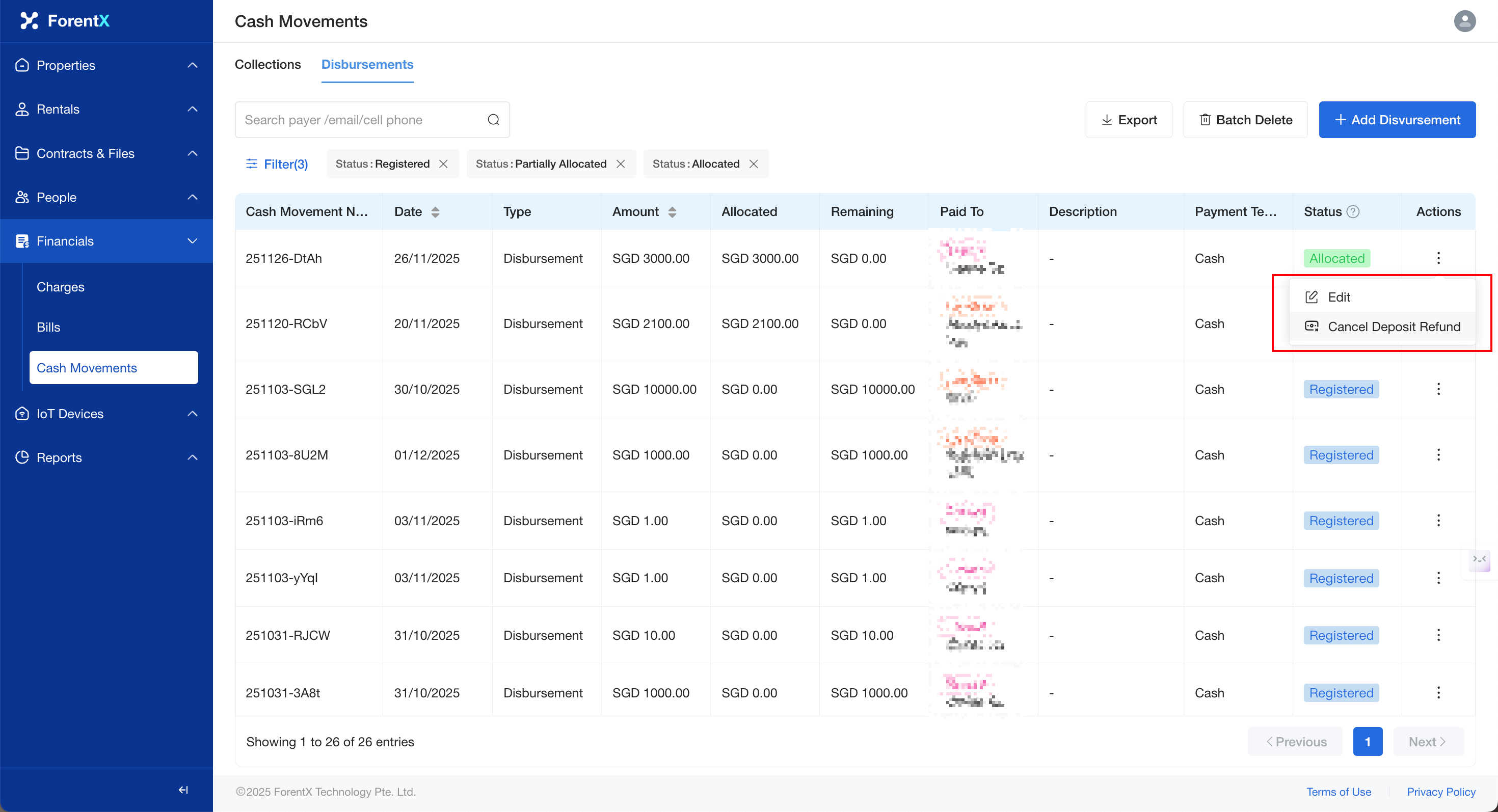
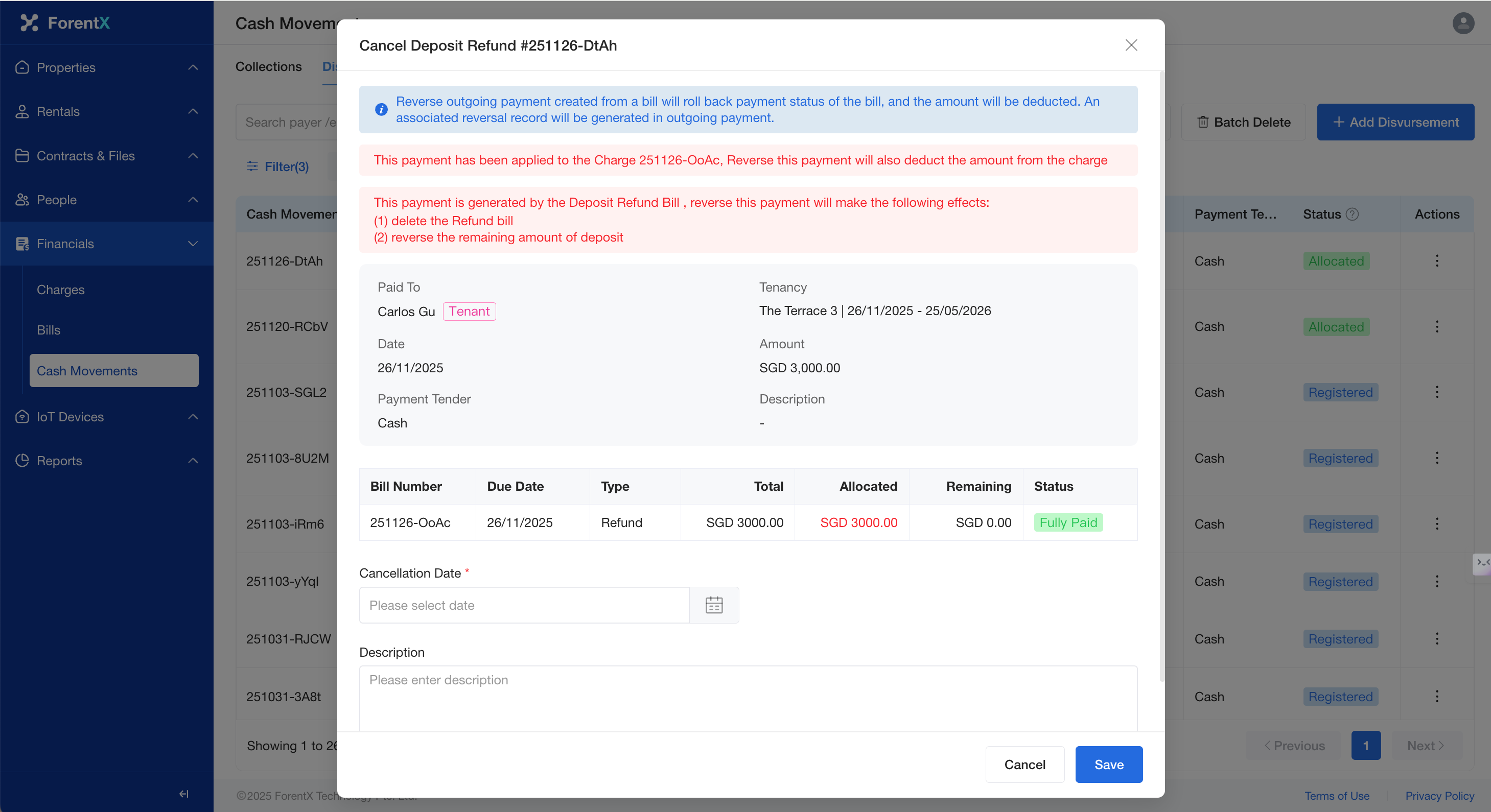
Step 2: Locate the deposit record requiring refund reversal, click the [Reverse Button], confirm the information, and click [Save].
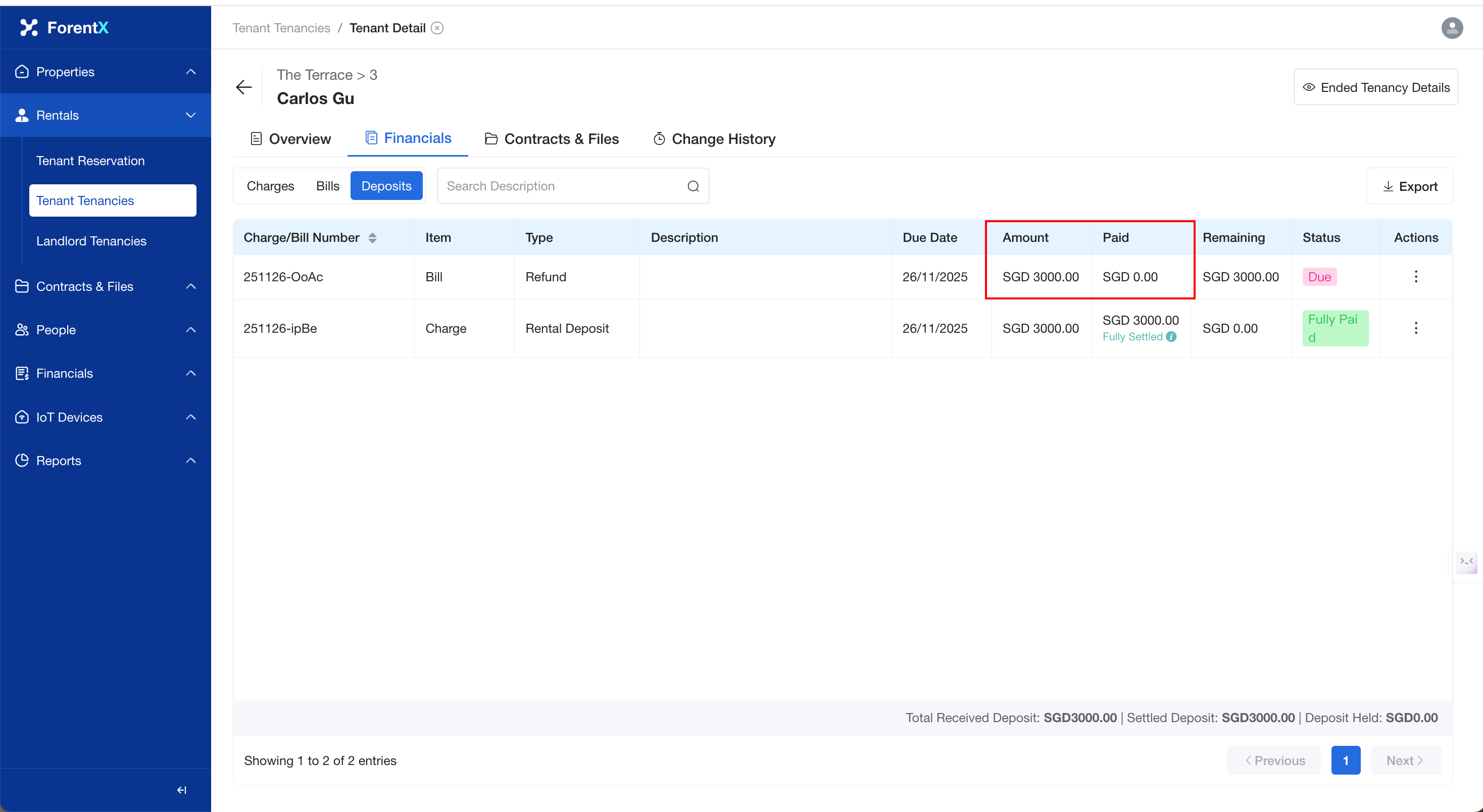
Step 3: Upon completion of the operation, the refunded deposit will be reversed. The system will generate a corresponding negative reversal record to balance the account. You can view the reversed data on the corresponding Tenant Details Page.
No comments to display
No comments to display