
How do I track the signing progress of an electronic contract?
You can easily monitor the real-time status of all your electronic contracts directly within the system. This allows you to stay informed about every stage of the signing process, from creation to completion.
Locating Your Electronic Contracts
To view the signing progress, navigate to the following section:
Path: Contracts & Files > Electronic Contracts
In this list, you will find all the electronic contracts you have created, along with their current status.
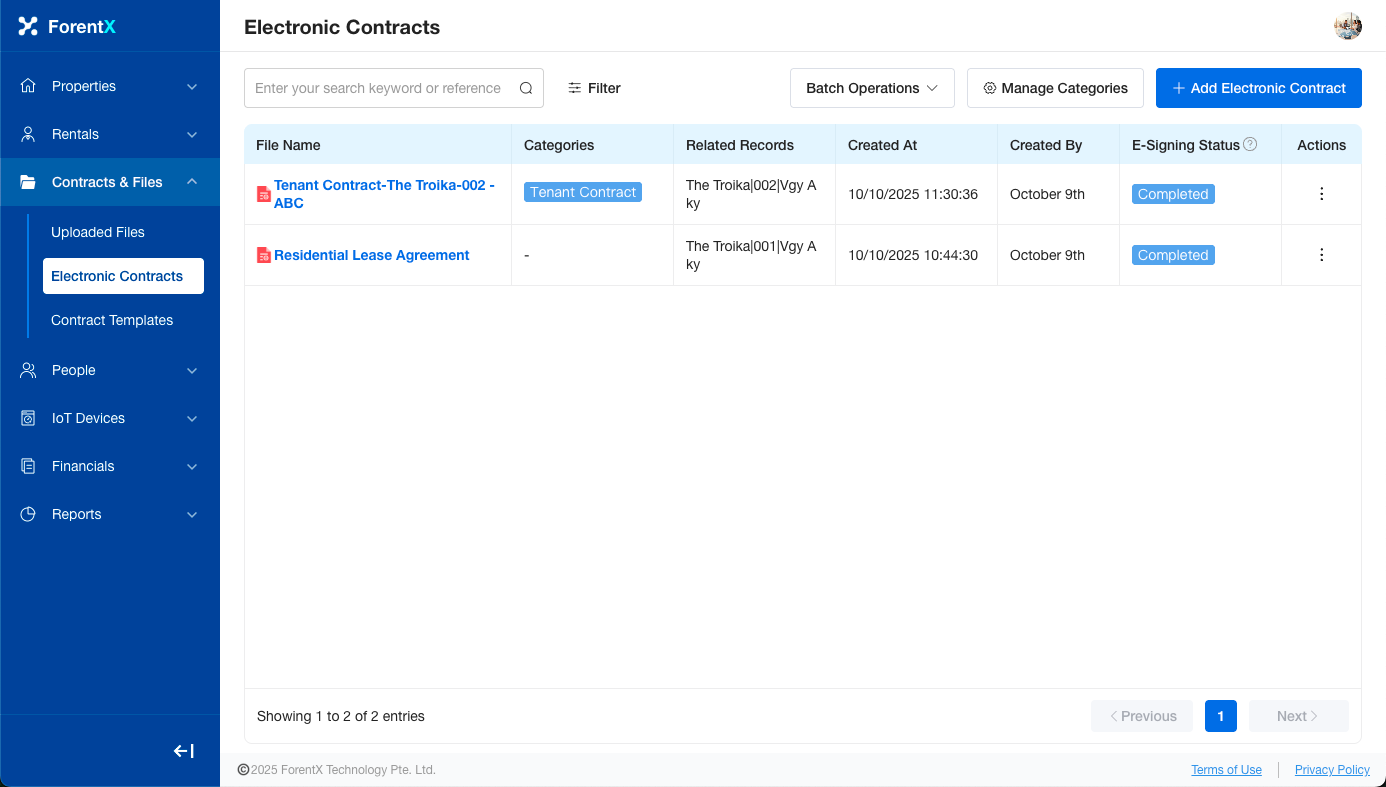
Understanding the Contract Statuses
Here is a breakdown of the different statuses you will see and what they mean:
- Not Started The contract has been created but has not been sent to the signers yet.
- Signing The contract has been sent out for signatures and is awaiting completion.
- Completed All parties have successfully signed the contract.
- Expired The signing link has expired. You may need to resend the contract.
- Cancelled This contract signing process has been cancelled and is no longer valid.
No comments to display
No comments to display